
Churchpool Benutzerkonto löschen / delete user account
Option 1: Delete user account in app
🇺🇸 Englische Version (English explanation)
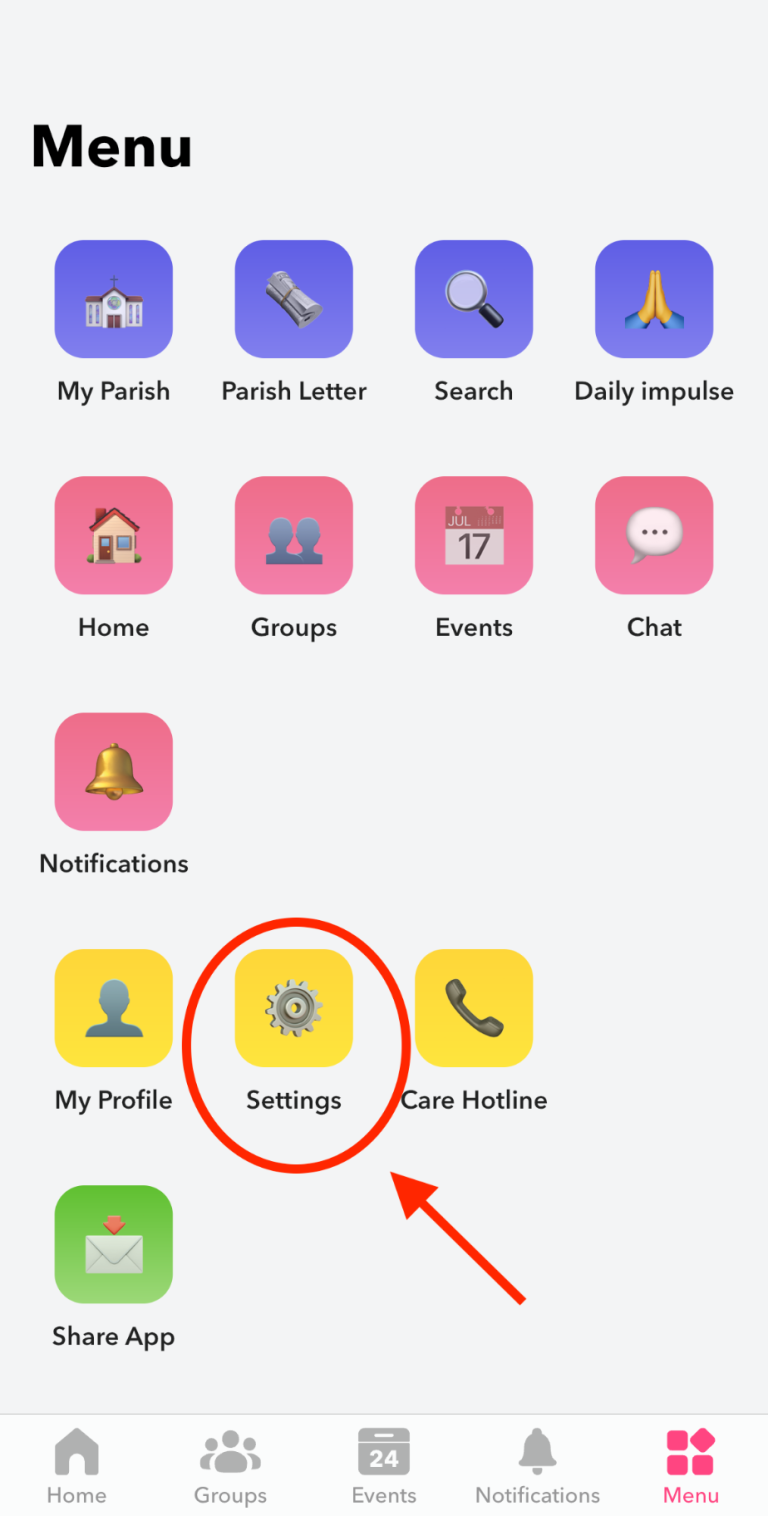
1.1 Open settings
In the lower menu bar select "Menu" and click on the button "⚙️Settings".
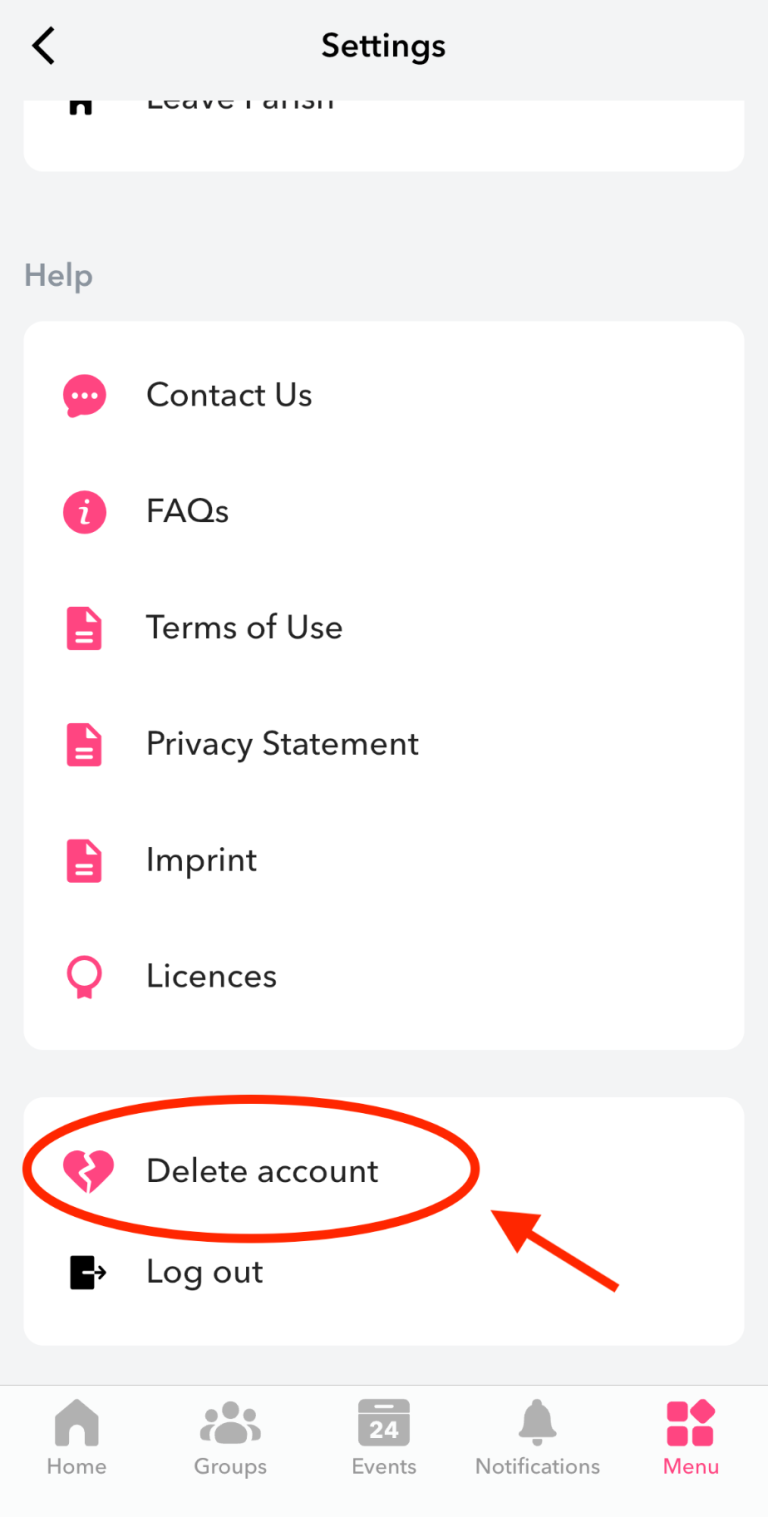
1.2 Select "Delete account"
Scroll down a bit on the settings page and select the option "💔Delete account".
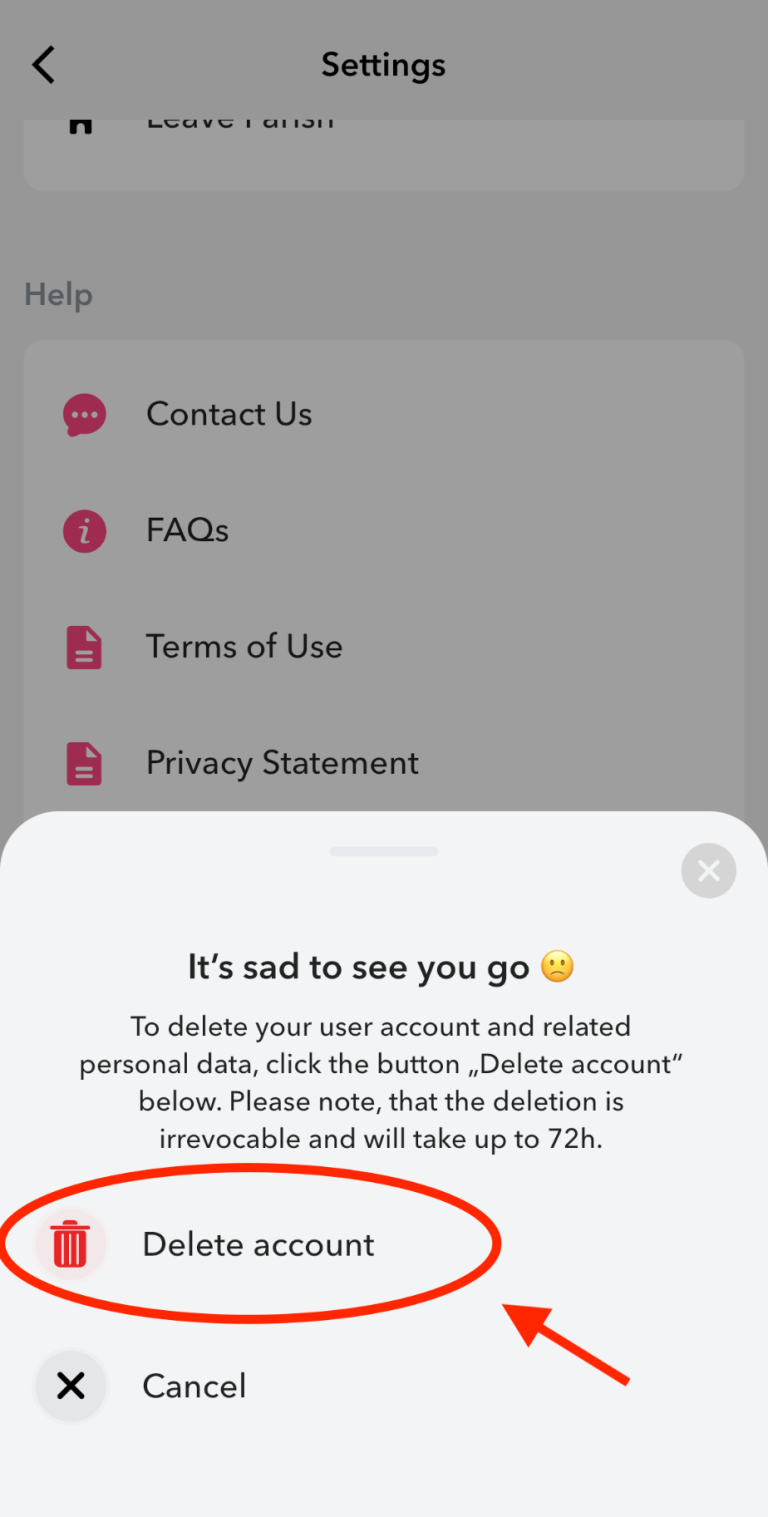
1.3 Confirm account deletion
Confirm, that you want to delete your user account and related personal data by clicking on "🗑️Delete account". Please note, that the deletion is irrevocable and will take up to 72h.
Option 2: Initiate account deletion outside of the app
If you have lost access to your user account, you can reset your password at any time in the app on the login screen using the “Forgot your password?” field. After successfully logging in, you can simply follow the steps above to delete your user account in the app.
If it is no longer possible to restore access to your user account, you can also initiate the deletion process by sending an email with the subject “Delete user account” to support@churchpool.de . The e-mail should contain the following information:
1. Your user name
2. Your mobile number used for registration
You will then receive a verification code with further instructions by SMS.
For more information on our data deletion and retention policies, visit our privacy policy.